Free Weekly & Biweekly Timesheet Templates
Download free timesheet templates for tracking work hours. Each template is available as an Excel spreadsheet that calculates hours, breaks, overtime and estimated pay for you, and as a printable PDF for manual entry. No signup, no email and no account required.
Weekly Timesheet Template
A single seven-day sheet for one workweek, with clock in and clock out times, unpaid break minutes, an optional second work period and weekly totals.
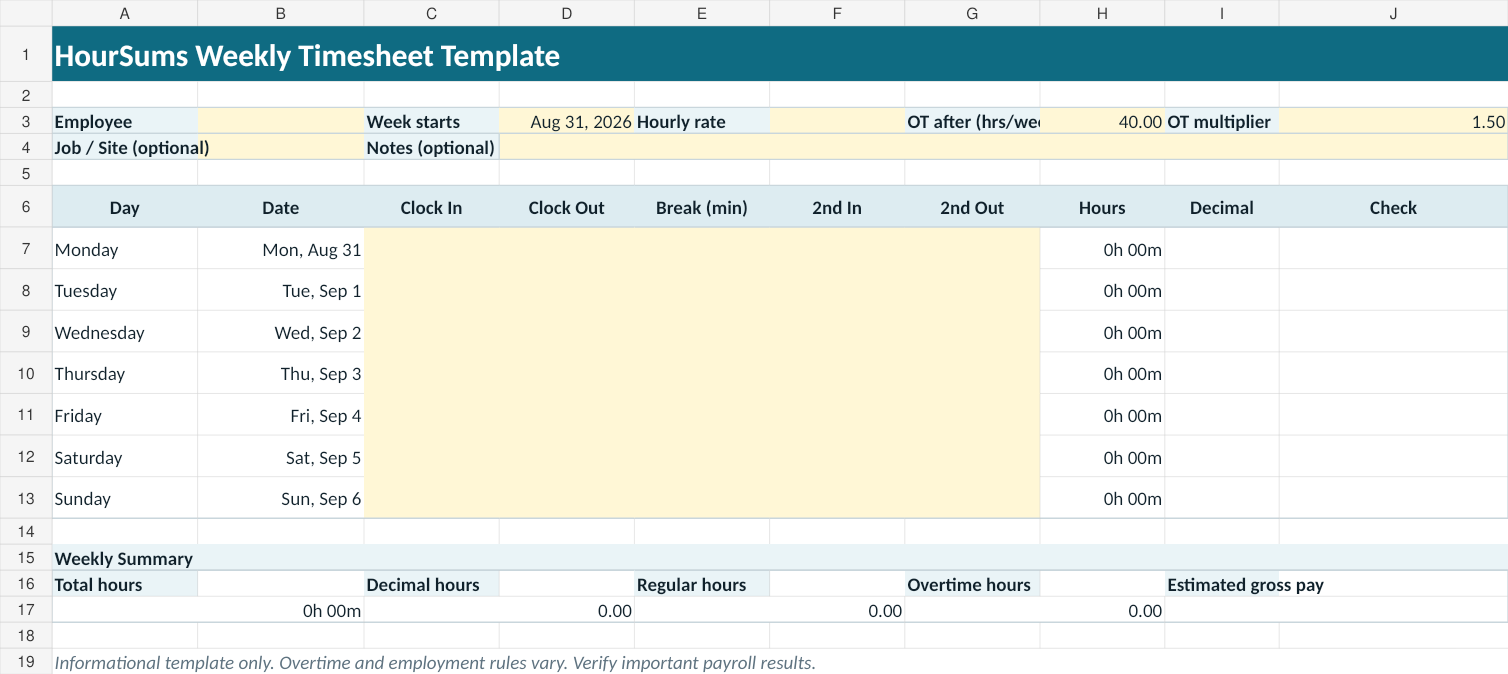
- Clock in and clock out times for each day
- Unpaid break minutes deducted per day
- Optional second work period for split shifts
- Overnight shifts handled without a date change
- Configurable weekly overtime threshold and multiplier
- Hours, decimal hours and estimated gross pay
Prefer to work in the browser? Use the Time Card Calculator.
Biweekly Timesheet Template
A 14-day sheet divided into two separate 7-day calculation weeks, each with its own totals, plus a combined two-week total.
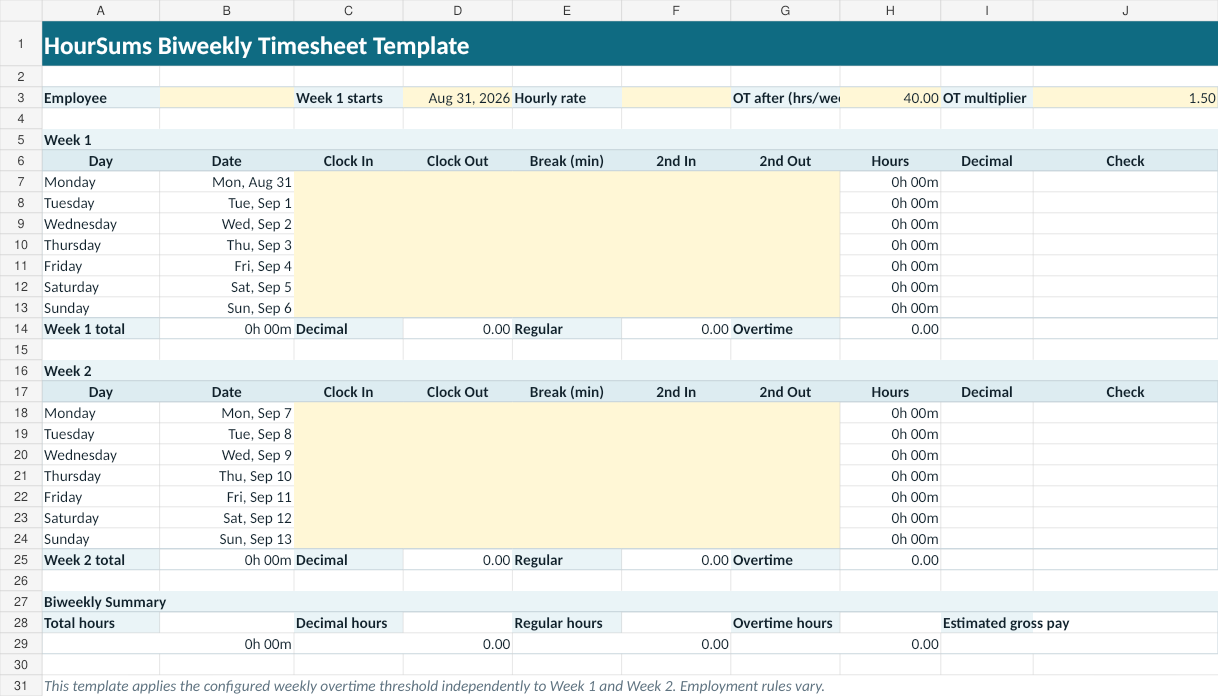
- Clock in and clock out times for each day
- Unpaid break minutes deducted per day
- Optional second work period for split shifts
- Overnight shifts handled without a date change
- Configurable weekly overtime threshold and multiplier
- Hours, decimal hours and estimated gross pay
Prefer to work in the browser? Use the Biweekly Time Card Calculator.
Download the Complete Template Pack
One ZIP file containing all four templates: the weekly Excel spreadsheet, the weekly printable PDF, the biweekly Excel spreadsheet and the biweekly printable PDF.
Excel vs Google Sheets vs Printable PDF
- Excel (.xlsx) — the formulas calculate hours, decimal hours, overtime and estimated pay automatically as you type clock in and clock out times.
- Google Sheets — upload the .xlsx file to Google Drive and open it in Google Sheets. The templates use standard spreadsheet formulas rather than application-specific features.
- Printable PDF — a blank form for writing hours in by hand. It has no automatic calculations, so totals are worked out by you.
Spreadsheet applications differ in how they display times, dates and number formats, so check the totals after importing a file into a different application.
How the Timesheet Templates Calculate Hours
- The elapsed time between the clock-in and clock-out time is measured for each day.
- When the clock-out time is earlier than the clock-in time, the out time is treated as the next day, so overnight shifts work without a date change.
- Unpaid break minutes are deducted from that day's working time.
- The optional second work period is added when a split shift is used.
- Calculations are performed in whole minutes.
- Decimal hours are the total minutes divided by 60.
If you only need one of those steps, the Decimal Hours Calculator converts hours and minutes to decimal hours, and the Time Duration Calculator measures the span between two clock times.
Weekly vs Biweekly Timesheets
A weekly timesheet covers a single seven-day stretch and produces one set of totals. It suits weekly reporting, per-week overtime tracking and short jobs. The Time Card Calculator is the online equivalent.
A biweekly timesheet covers fourteen days on one sheet, which is convenient when hours are reported every two weeks. In the HourSums template that 14-day period is divided into two separate 7-day calculation weeks, each with its own totals, and the configured weekly overtime threshold is applied to each displayed week independently before the two results are combined. Make sure Week 1 and Week 2 match the workweek grouping you intend to use — employment rules and workweek definitions vary. The Biweekly Time Card Calculator works the same way in the browser.
These templates are informational tools. Employment, overtime and workweek rules vary. Verify important payroll results with the appropriate employer, payroll provider or qualified adviser.